
A smiling student with a backpack in front of blackboard panels covered in formulae

Vedubox for Schools and Training Providers

Vedubox brings online and hybrid learning onto a platform that is easy to use and easy to reach, so schools and training providers can run the whole process from one place.

Being 100% cloud-based, it makes online communication and teaching straightforward with no investment in servers, technical staff or infrastructure. As well as running your timetable fully online or as a hybrid, it brings together everything you need for online study sessions and teacher–parent meetings. The system can also be personalised with your school's own web address and logo.

Try Vedubox

Your online school or training centre is ready in minutes with Vedubox

Teach from anywhere, at any time

Teachers can use Vedubox Live to teach their students whenever and from wherever they like. Vedubox Live gives you a quality virtual classroom through its video and web conferencing integrations, and students can join from any device.

Run online exams and tests for your students

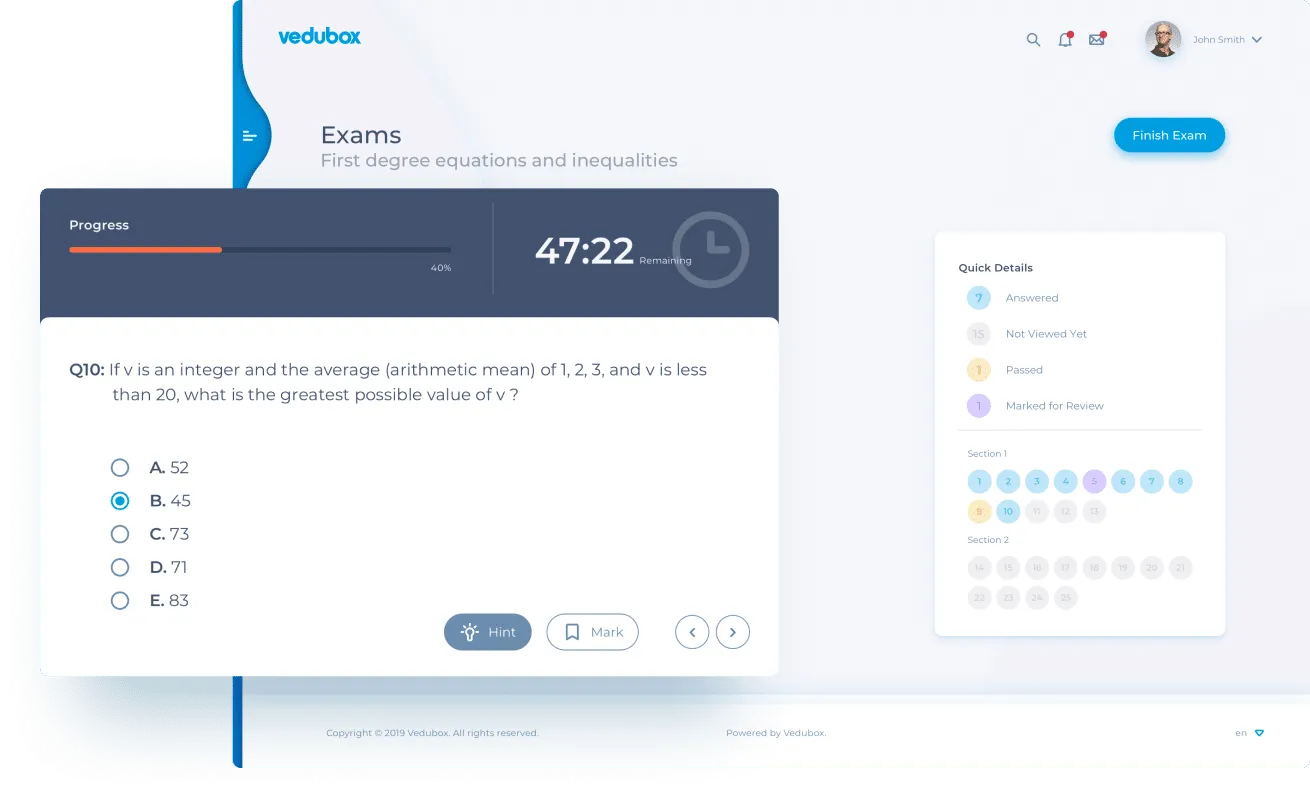
Vedubox Exam is designed to bring exams and tests — an essential part of teaching — into the digital world. Writing as many questions as you like in a range of formats, then using them to run secure proctored online exams, is straightforward.

Manage your courses and content with ease

Vedubox LMS brings course and content management together to make online teaching more effective. Manage users and administrators easily, and keep a regular read on your teaching through reports and analytics.

The Vedubox online exam screen showing time remaining, the question and a quick status panel

Meet a brand new approach to online learning

Lead the way in education.

An easy, fast and flexible answer to your distance learning needs. Try this innovative learning platform and its standout features today.

Core Features

Take a look at the core features of the Vedubox distance learning platform and what they do for an education provider's productivity. Our expert support team is on hand around the clock throughout.

Virtual Classroom

Run live lessons, webinars and web/video conferences with Vedubox, and split students into breakout groups so they can work together. Sessions can be recorded to the system automatically and watched again as often as needed.

Course Content Management

Upload as many documents, videos, links, embed codes, tests, SCORM (HTML5) packages and interactive videos to a course as you like. Build a learning path to show students the route to follow, and make that route more enjoyable with gamification.

Online Tests and Exams

Build question pools from an unlimited number of questions in formats such as fill in the blank, ordering, multiple choice, written answer, matching and true or false. Categorise them however you like to prepare online tests and exams and run them securely.

Reporting and Administration

Assign your users roles such as trainer, administrator, student and parent, add as many users as you need, and run lessons and content management from one system. Enrolled students' progress and their test and exam results can be reported automatically too.

Video Lesson Library

Take teaching beyond live lessons. Upload video lessons to the system and open them up to the right users. Add questions inside your videos for more interaction.

Surveys / Assignments / Announcements

Make learning practical for your students with the Student Portal. Create surveys to gather feedback, post announcements and set assignments, all inside the system.

Messaging

In online and hybrid teaching, keeping teachers and students in touch matters enormously. With Vedubox you can hold video calls between them and keep the social side going with instant messaging.

Online Payment

Take a look at the Vedubox sales portal to reach more people with the courses you have built. Sell your courses using Stripe and PayPal inside the system. Vedubox takes no commission on payments. More about the e-commerce module

With Vedubox Live you personalise the system by enabling only the features you need, and pay only for the features you use.



