Discover Vedubox
Explore every feature Vedubox offers for online training.
It enables corporates, training providers, university continuing education centres, charities and anyone who needs an online academy to deliver effective training over the internet.










Training Management
Works With Any Content Format
+
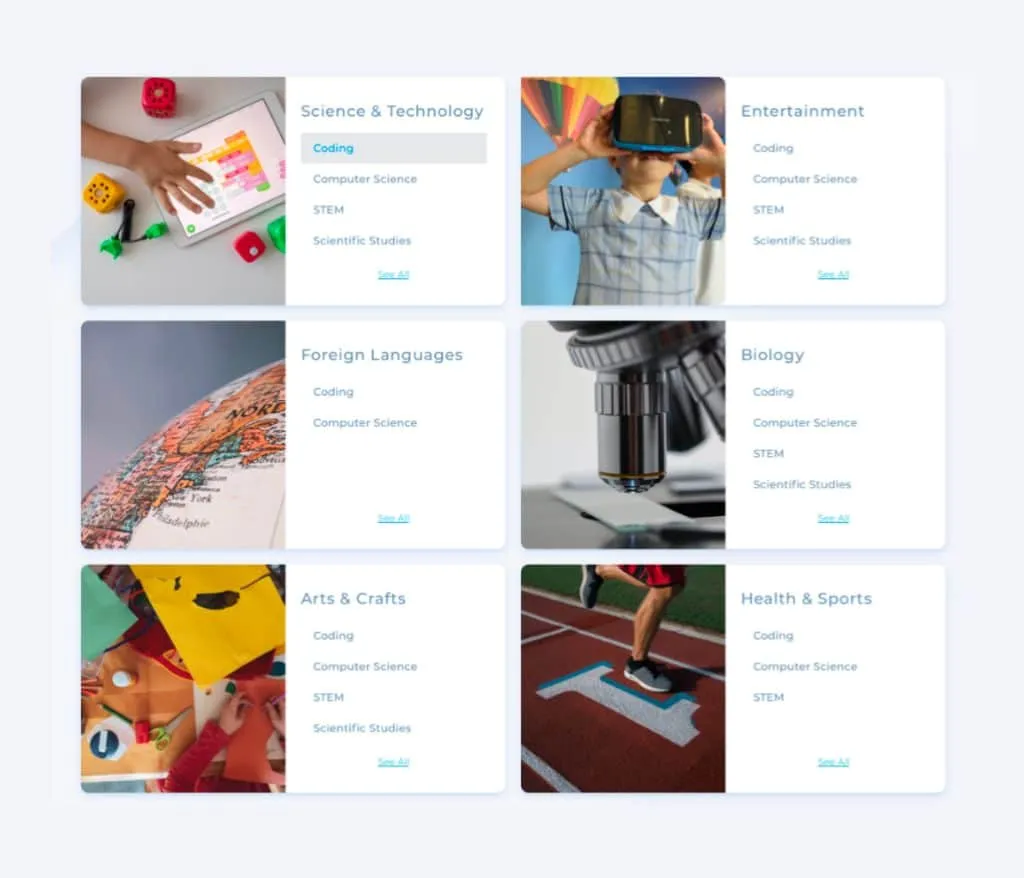
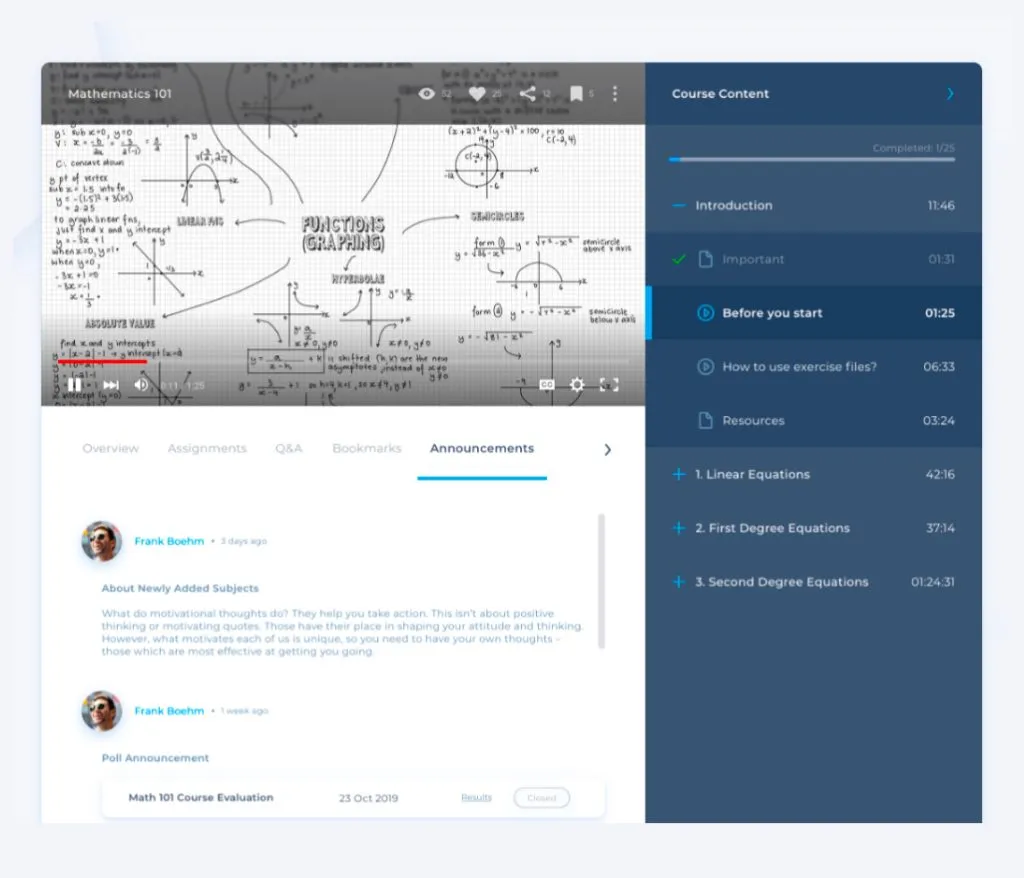
Create content in any format you like on a system that lets you build unlimited courses. Freely add video, documents, presentations, SCORM packages, YouTube/Vimeo videos and more, then order and organise the content under the topics you have created.
Online Exam Support
+
Build question banks across different question types by adding questions manually or uploading your Excel or PDF documents. Create tests and exams by pulling questions from the bank manually or automatically. For added security you can assign a proctor to an exam or shuffle the question order for each learner.
Learning Paths
+
Decide exactly the route you want users to follow from start to finish, and guide them through the whole learning process. Define completion criteria for each course within a learning path to support your users' development.
Reporting and Analytics
+
Measure the effectiveness of your training with advanced reports and analytics covering users, courses, meetings, webinars and live sessions. Use summary and detailed reports to find ways to improve. Reach exam results, live event attendance and payment information in a single click.
Personalised Design
+
You can personalise Vedubox completely using your own web address and logo, and build your own corporate academy with ease. When your users log in, they are met with an interface that fully reflects your brand identity.

Training Delivery
Tailored Infrastructure
+
Tailor the system to your number of participants and simplify the interface for admins, trainers and learners by enabling only the features you need. With an interface that can be organised around the needs of different training types, you pay only for the delivery formats you actually want.
Video Conferencing Management
+
Plan live training from inside Vedubox using the video conferencing infrastructures available to you. Run uninterrupted, high-quality sessions and meetings with hundreds of participants at once, and hold one-to-one or group calls whenever you need to.
Webinar and Live Training Management
+
When you need to train large audiences, use the webinar feature that supports up to 10,000 concurrent attendees. Alongside video conferencing, webinars and live training come with seminar and classroom management features. Manage the sessions you have scheduled from the live training calendar and send email or SMS to your attendees in one click. You can also record your events automatically and make them available to attendees in the Watch Again area.
Watch Again
+
Video conferences, meetings, live calls, live training and webinars can all be recorded to the cloud-based system. They can then be watched again from any device at any time, and downloaded if you allow it. Instant messaging transcripts from live events can also be viewed and downloaded. Thanks to the Watch Again module, you no longer need staff to record your sessions and upload them afterwards.
Library
+
Use the library to keep a range of resources permanently available to your users in support of live or video-based training. Documents, videos and links can be added under different categories and topics, and your users can download them as long as you permit it.

More Engagement
Support Services
+
Users can raise support requests with the system administrator by completing support forms and receive a reply. Administrators, in turn, can contact the support team whenever they need to and discover ways to use the system more effectively.
REST API
+
Vedubox is built to work alongside other tools. As well as the many features already integrated into the system, the API allows integration with portals, corporate applications and websites.
SSO and LDAP
+
Thanks to SSO and LDAP integration, people can use the system with the single username and password they already have in your internal systems, with no need to create a new account or password.
Portal and E-commerce Module
+
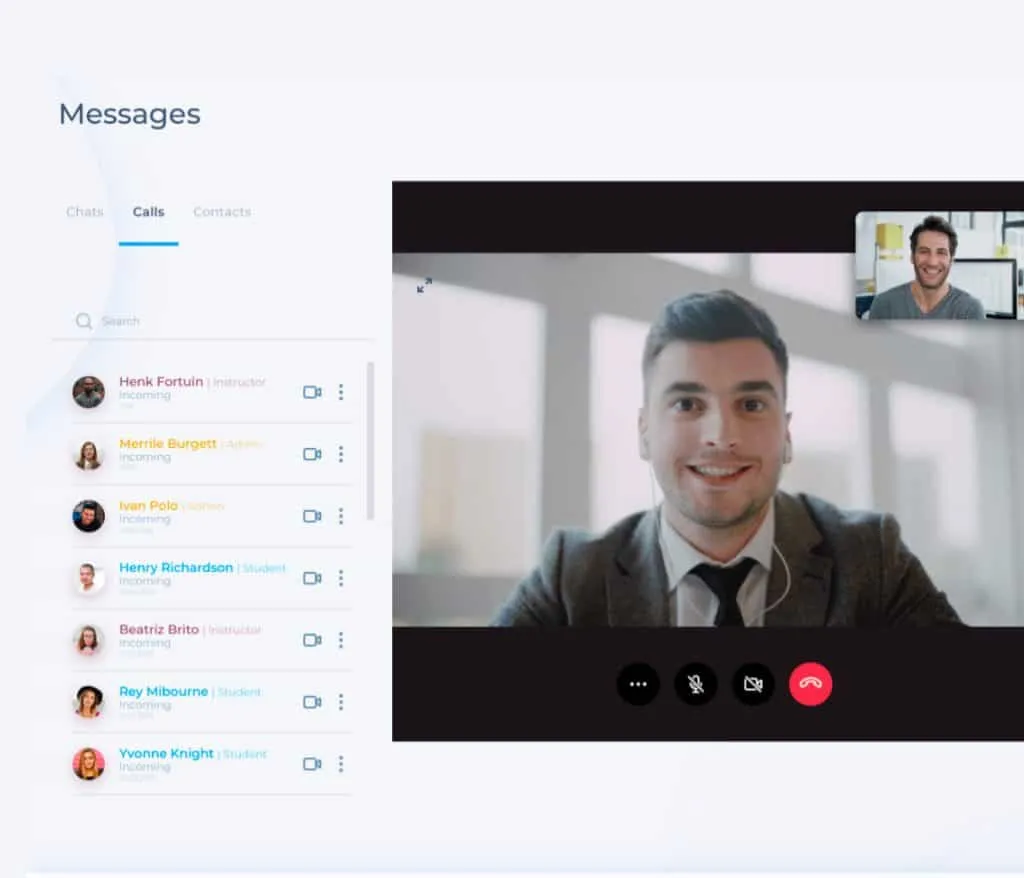
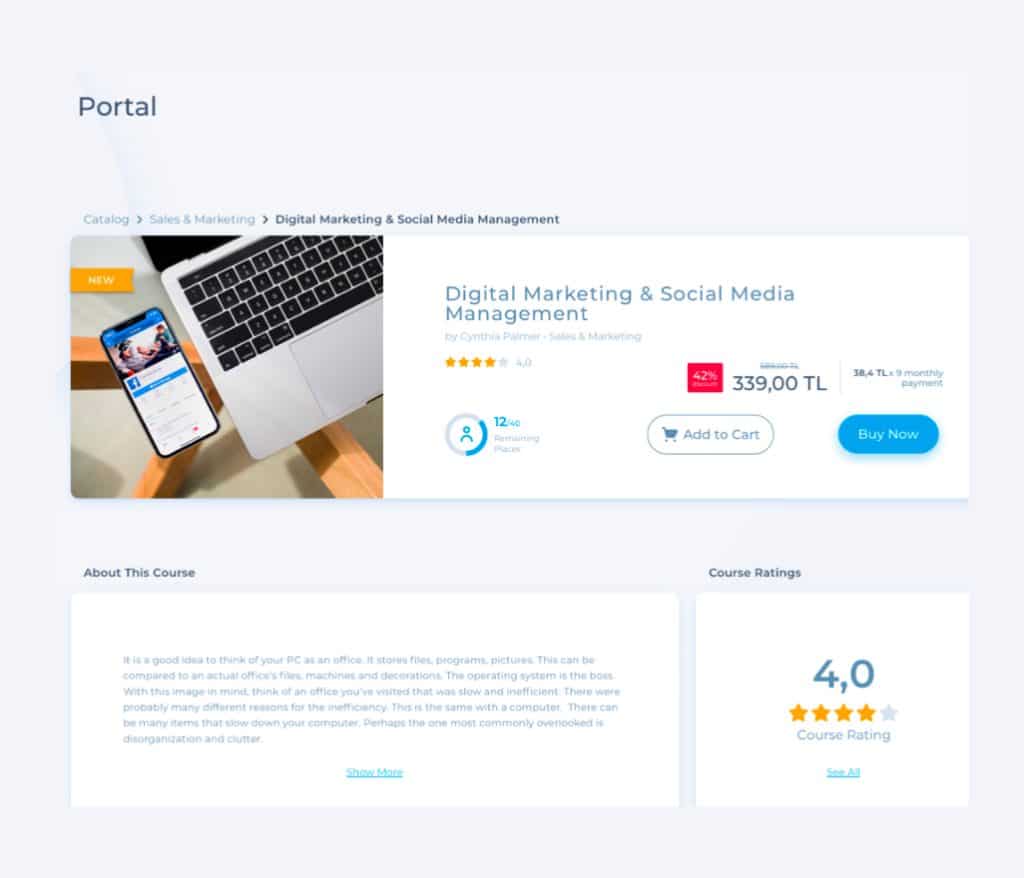
Vedubox offers text and video calls through WhatsApp-style messaging features. Social groups can be opened up so users can post and share. Permitted users can add, edit and publish blog posts. Emails and SMS can be sent to users automatically or on demand.
Multilingual Interface
+
Use the library to keep a range of resources permanently available to your users in support of live or video-based training. Documents, videos and links can be added under different categories and topics, and your users can download them as long as you permit it.

A system that's ready to use
System Administrator
+
Users can raise support requests with the system administrator by completing support forms and receive a reply. Administrators, in turn, can contact the support team whenever they need to and discover ways to use the system more effectively.
Manager
+
The manager module gives access to reports on the users who report to them. Where permitted, a manager can also add, update and delete users within their own unit.
Trainer
+
Where permitted, users with the trainer role can create courses, add and edit course content, set assignments and tasks, and create announcements, surveys, questions, tests and exams. They can manage the library and create blog pages, pull reports on their own learners and view the analytics, and message users. They can schedule live training, calls, meetings and webinars on any day and time they choose, send SMS and email, and answer attendees' questions. Where permitted, they can also enrol attendees on their own courses and edit or remove those enrolments.
User / Learner
+
Users sign in with a username and password. They can update their details and change their password from their profile, see announcements and surveys, compare themselves with other users on the leaderboard, and view the badges and trophies they have earned. They can see the courses assigned to them and open the content inside, view test and exam results, join live training, meetings and webinars, and access live event recordings to watch again as often as they like. They can message other users, reach blog and library content, and join social groups to post and share.
Mentor / Parent
+
For K-12 use (schools, colleges and training centres) a parent module can also be provided within the system if required. Parents can be given reports about their children, the option to join parent meetings, consultations and seminars, and access to announcements and surveys.

Different user roles
System Administrator
+
Users can raise support requests with the system administrator by completing support forms and receive a reply. Administrators, in turn, can contact the support team whenever they need to and discover ways to use the system more effectively.
Manager
+
The manager module gives access to reports on the users who report to them. Where permitted, a manager can also add, update and delete users within their own unit.
Trainer
+
Where permitted, users with the trainer role can create courses, add and edit course content, set assignments and tasks, and create announcements, surveys, questions, tests and exams. They can manage the library and create blog pages, pull reports on their own learners and view the analytics, and message users. They can schedule live training, calls, meetings and webinars on any day and time they choose, send SMS and email, and answer attendees' questions. Where permitted, they can also enrol attendees on their own courses and edit or remove those enrolments.
User / Learner
+
Users sign in with a username and password. They can update their details and change their password from their profile, see announcements and surveys, compare themselves with other users on the leaderboard, and view the badges and trophies they have earned. They can see the courses assigned to them and open the content inside, view test and exam results, join live training, meetings and webinars, and access live event recordings to watch again as often as they like. They can message other users, reach blog and library content, and join social groups to post and share.
Mentor / Parent
+
For K-12 use (schools, colleges and training centres) a parent module can also be provided within the system if required. Parents can be given reports about their children, the option to join parent meetings, consultations and seminars, and access to announcements and surveys.
.svg)